Field Operations
Real-Time Field Visibility For HVAC Owners
2 min readJobOpsPro
How owners can see every truck, job, and technician in real time without calling the field for status updates.
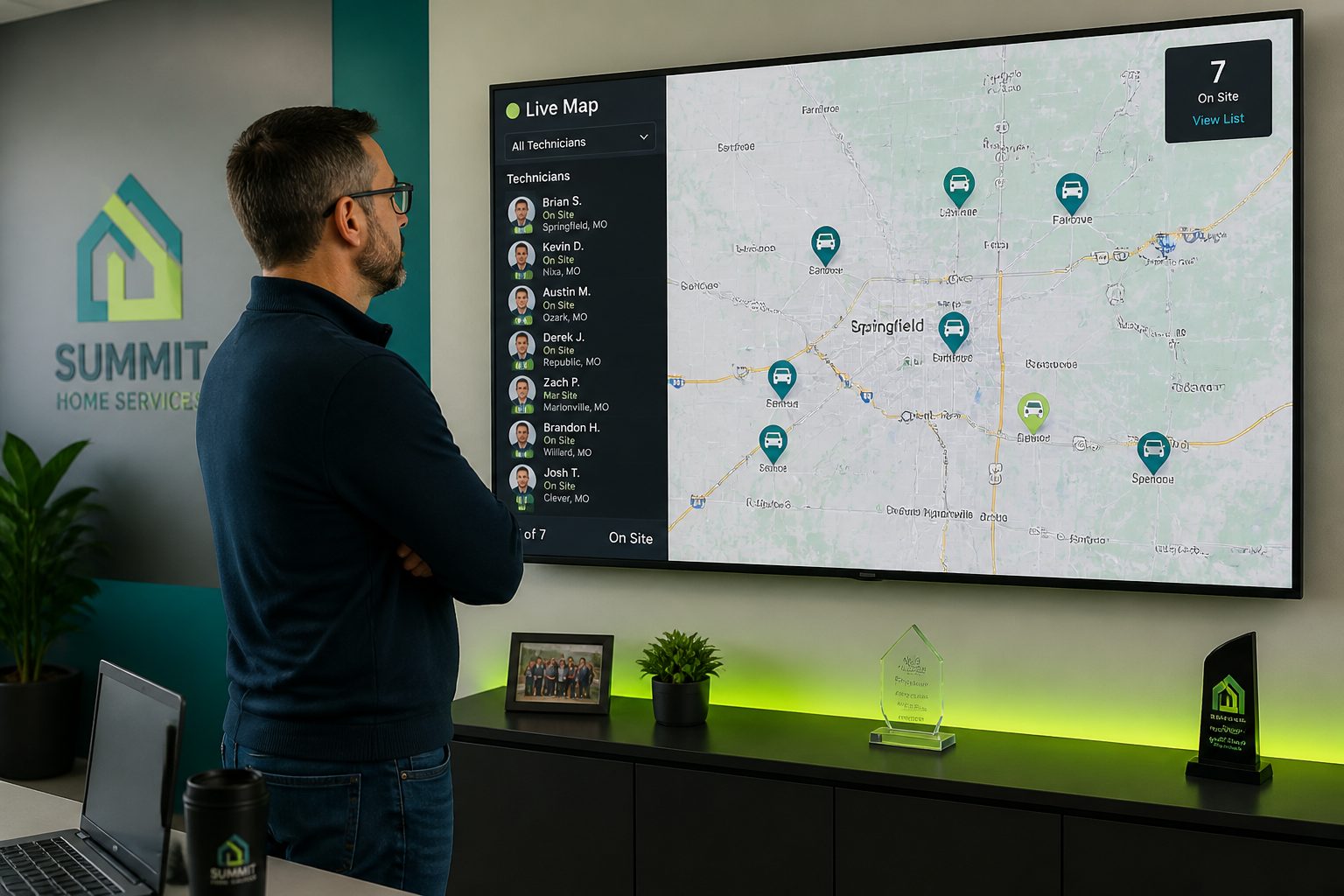
Most residential HVAC owners run their day on phone calls. Where is the tech? Did the install finish? Did the customer approve the estimate? Every one of those calls interrupts someone who is already working. Real-time field visibility replaces that loop with a screen you can glance at.
What Visibility Actually Means
Visibility is not a GPS dot on a map. It is knowing, at any moment, the state of the work: which job each technician is on, how long they have been there, what was found, what was quoted, and what still needs a decision from you.
- Job status that changes when the technician changes it, not when someone remembers to call in
- Arrival and departure timestamps captured automatically from the mobile app
- Photos and equipment readings attached to the work order as they are taken
- Estimate approvals and payments landing the moment the customer signs
The Owner Dashboard
JobOpsPro puts the day on one page. Jobs scheduled, jobs completed, jobs at risk of running long, revenue booked, and estimates awaiting approval. The attention panel surfaces only the exceptions: a tech who has not clocked in, a job that has been on site three hours past its window, an invoice that is thirty days out.
Why Exceptions Beat Reports
A weekly report tells you what went wrong after you could do anything about it. An exception list tells you while the truck is still in the driveway. Owners who work from exceptions spend less time in the software, not more.
Field Adoption Comes First
Visibility only works when technicians actually use the mobile workspace, so the field side has to be faster than paper. In practice that means:
- One tap to start and stop a job
- Camera capture built into the work order instead of a separate photo app
- Good, better, best estimate options prebuilt so pricing takes seconds
- Offline capture that syncs when signal returns in a crawlspace or mechanical room
What Owners Report After Rollout
Contractors who move from paper tickets to a live board typically stop the mid-afternoon status call entirely, close invoices the same day the work is finished, and catch callbacks before the customer calls them. The office stops chasing paperwork and starts scheduling more work.
Getting Started
Start with three things: job status, photo capture, and same-day invoicing. Once those are habits, layer in route optimization and inventory. Visibility compounds. Each piece of data the field captures makes the next decision in the office faster.